Solo Business Books
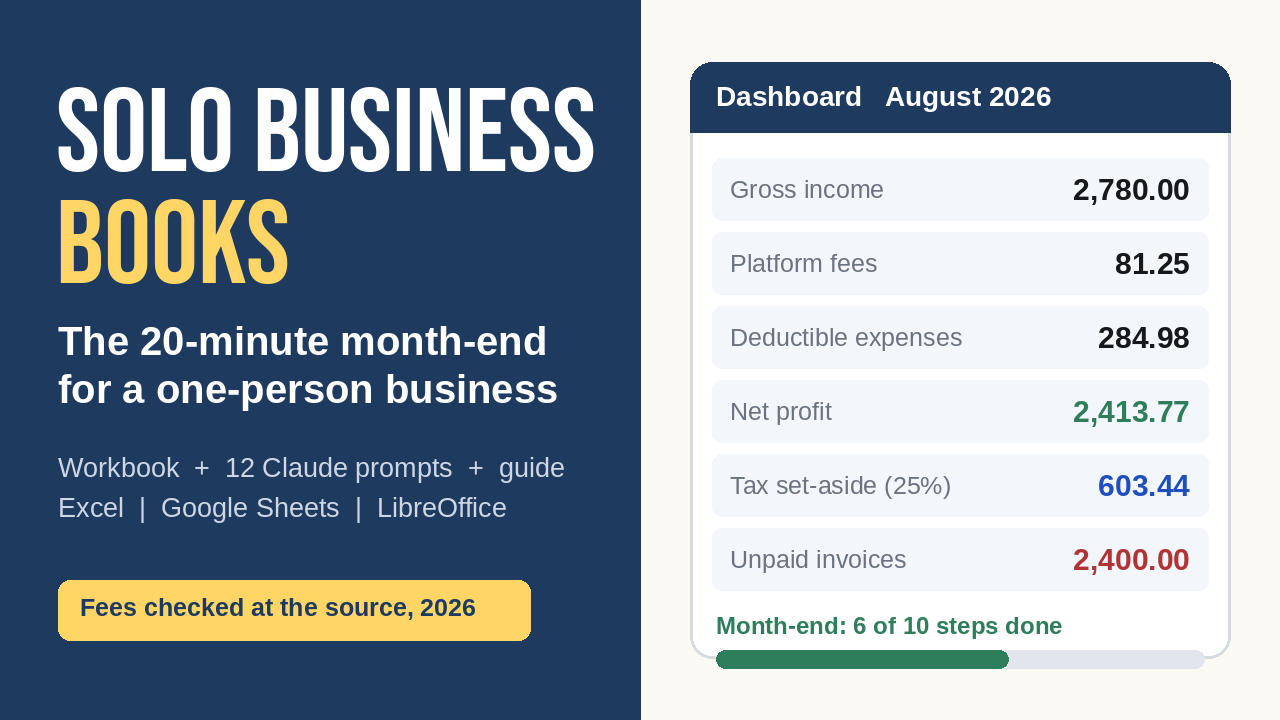
One workbook, 12 Claude prompts and a plain-words guide so a one-person business closes its books in 20 minutes a month.
$37 one time · instant download, sent to your inbox
Buy now, $37The problem this fixes
Bookkeeping feels too hard, so it waits until the tax deadline and then it is a weekend of panic. Platform fees hide inside payouts, receipts sit in six different billing pages, and nobody told you in plain words what you can deduct. The same ten steps, in the same order, close a month in about 20 minutes. This is that system: Claude does the sorting, the sheet does the sums, and you keep control of the numbers.
What you get
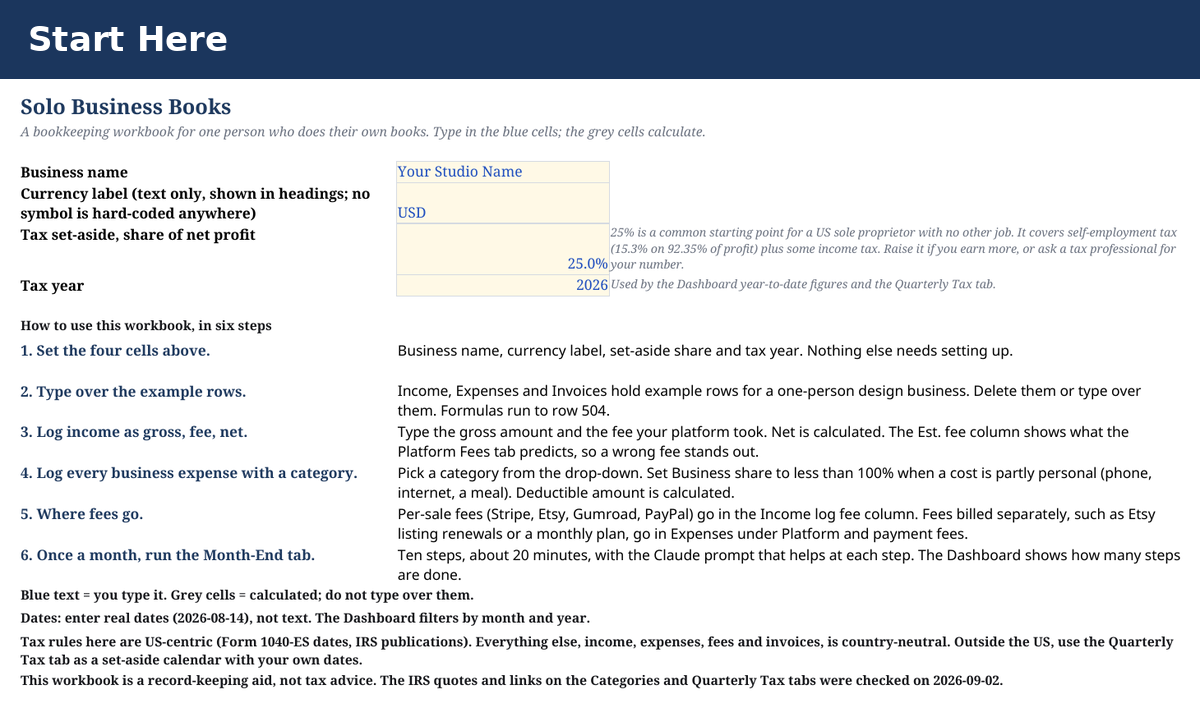
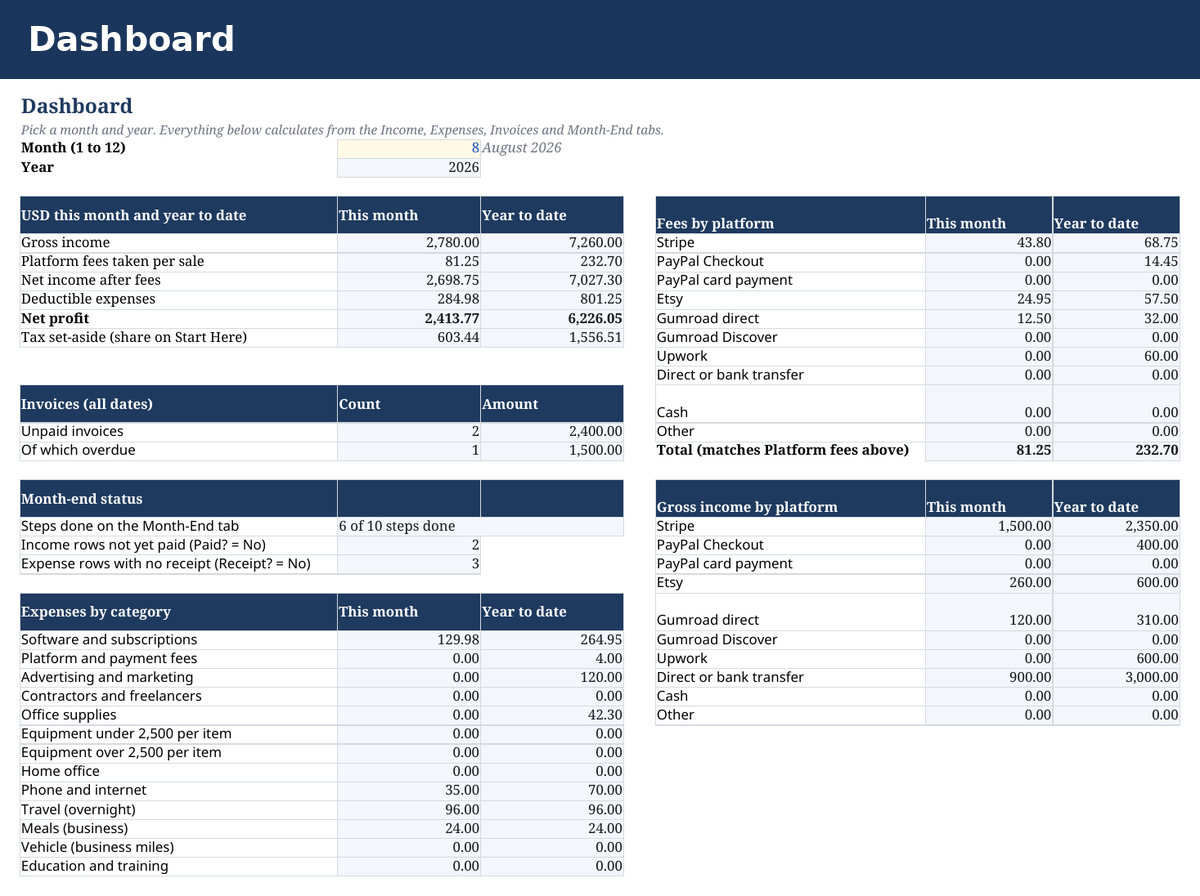
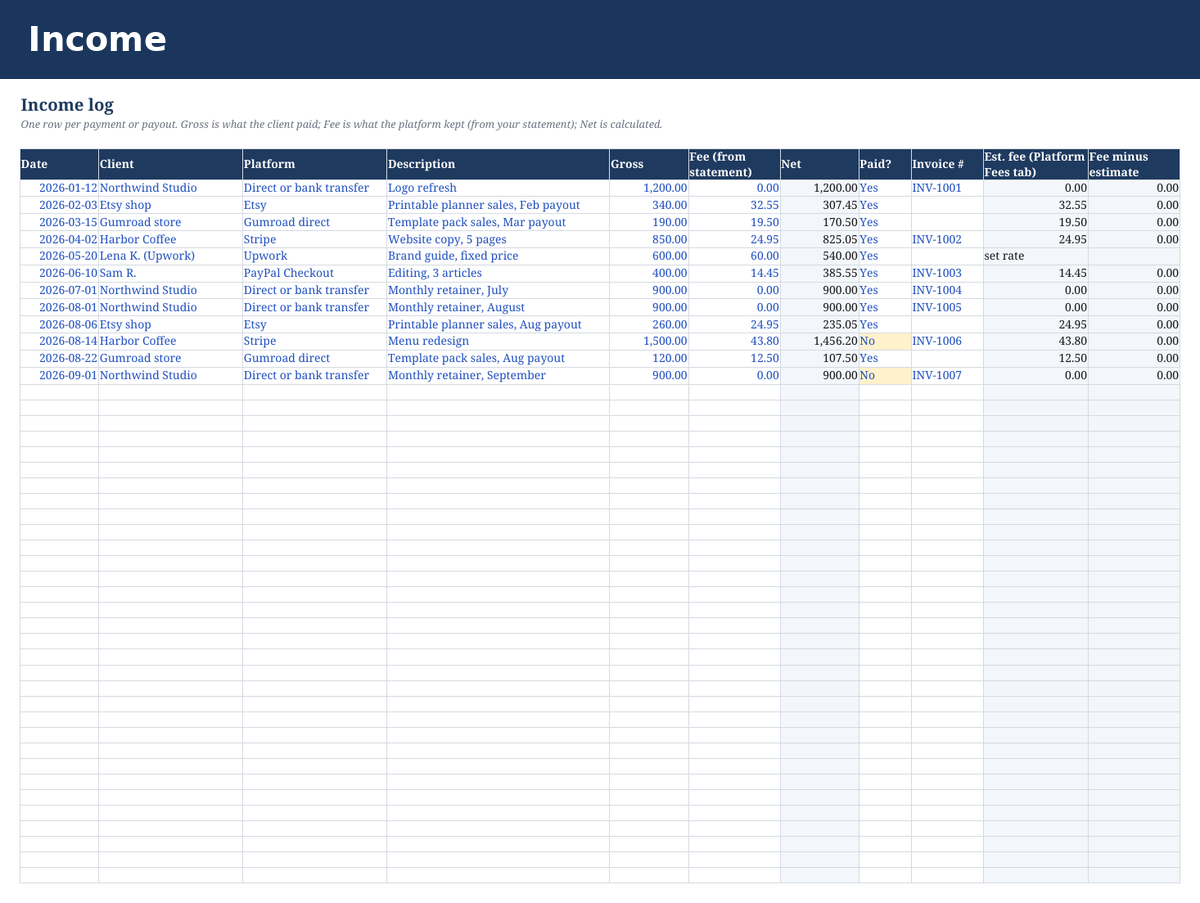
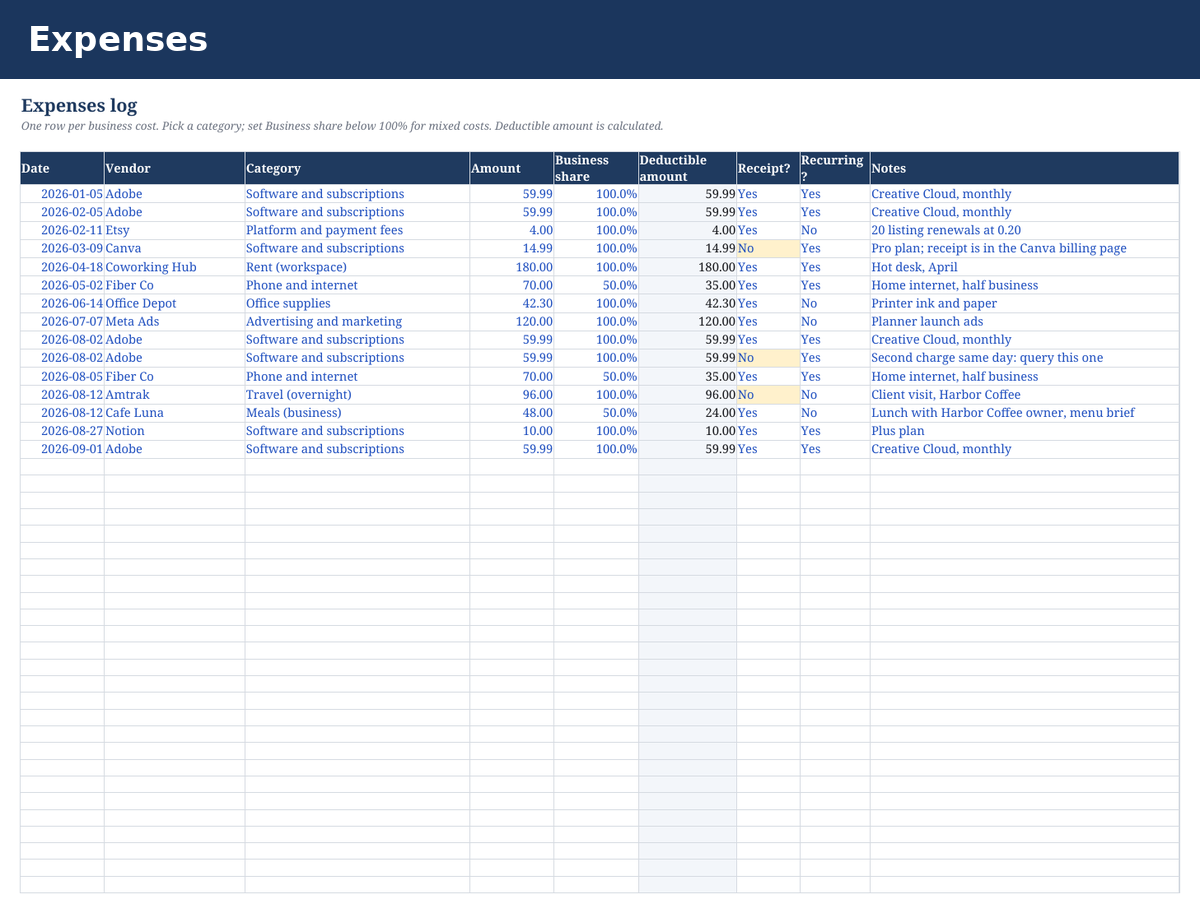
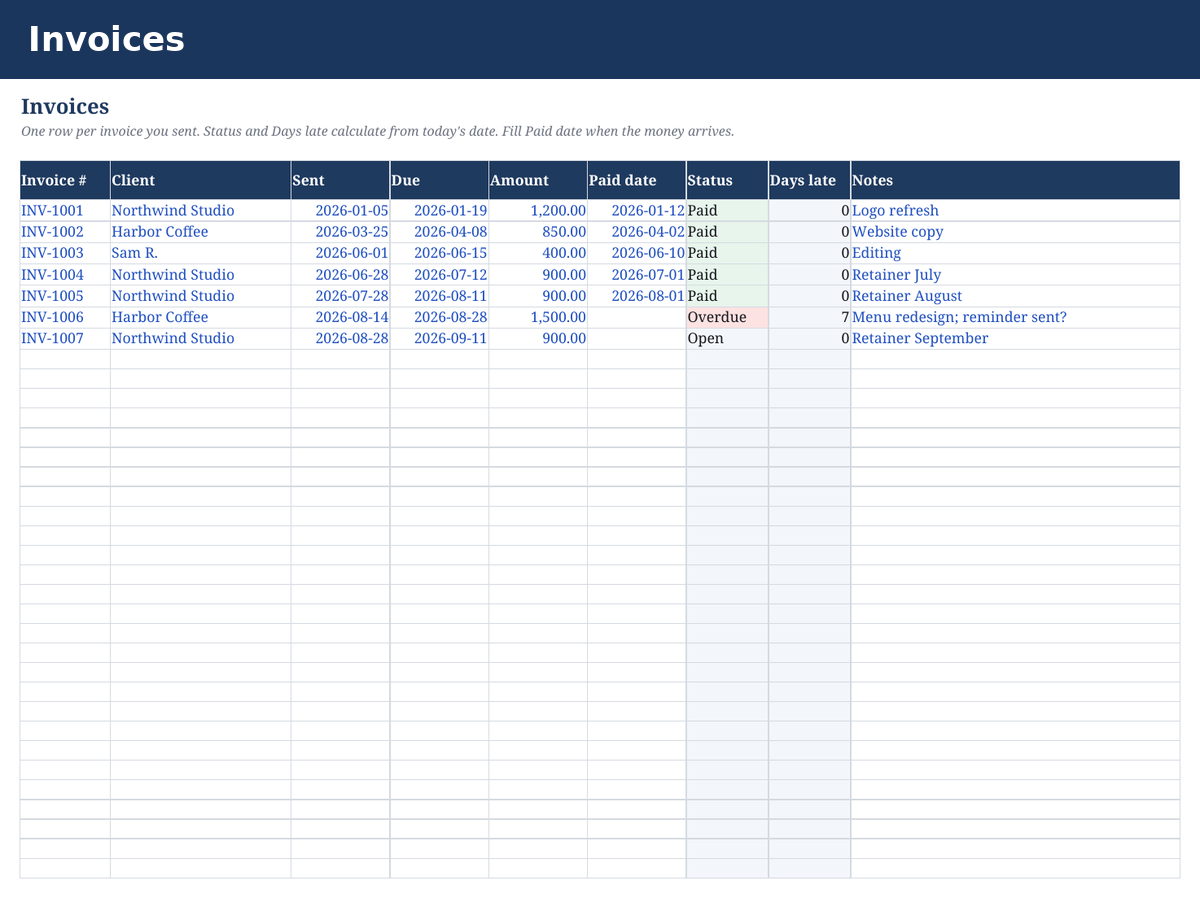
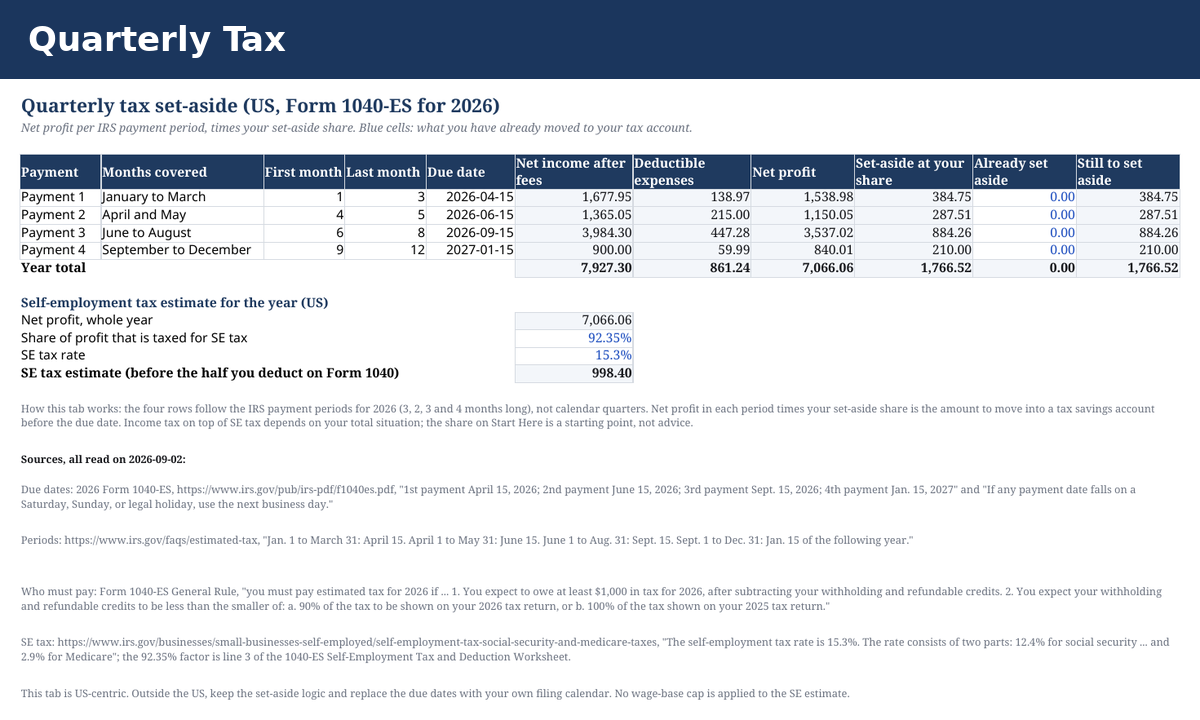
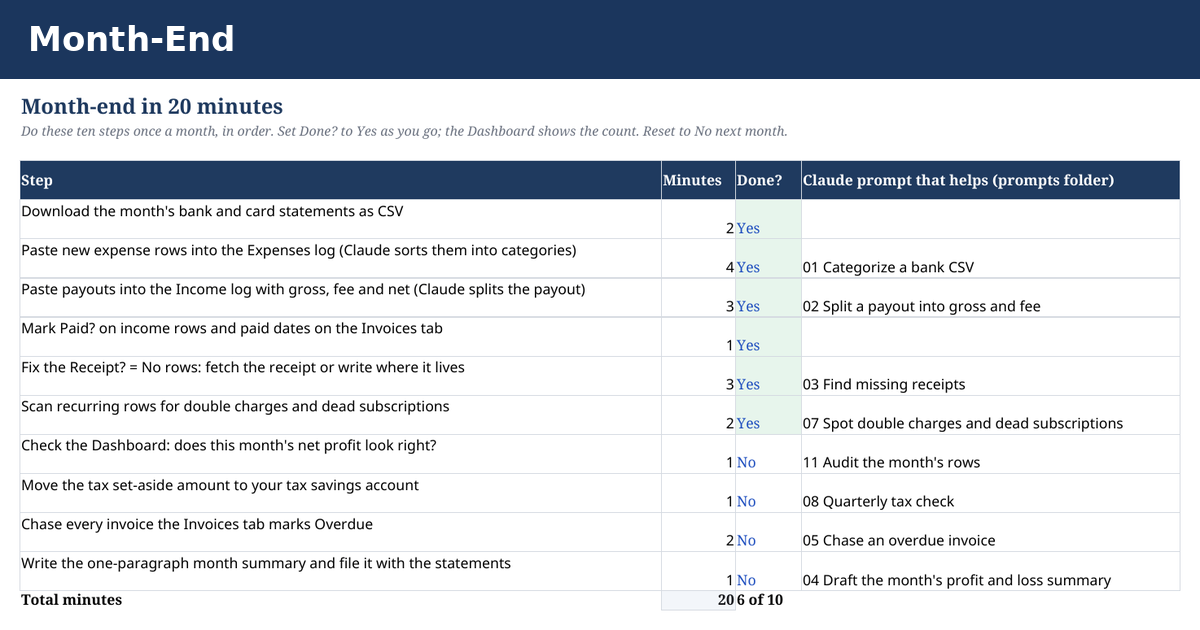
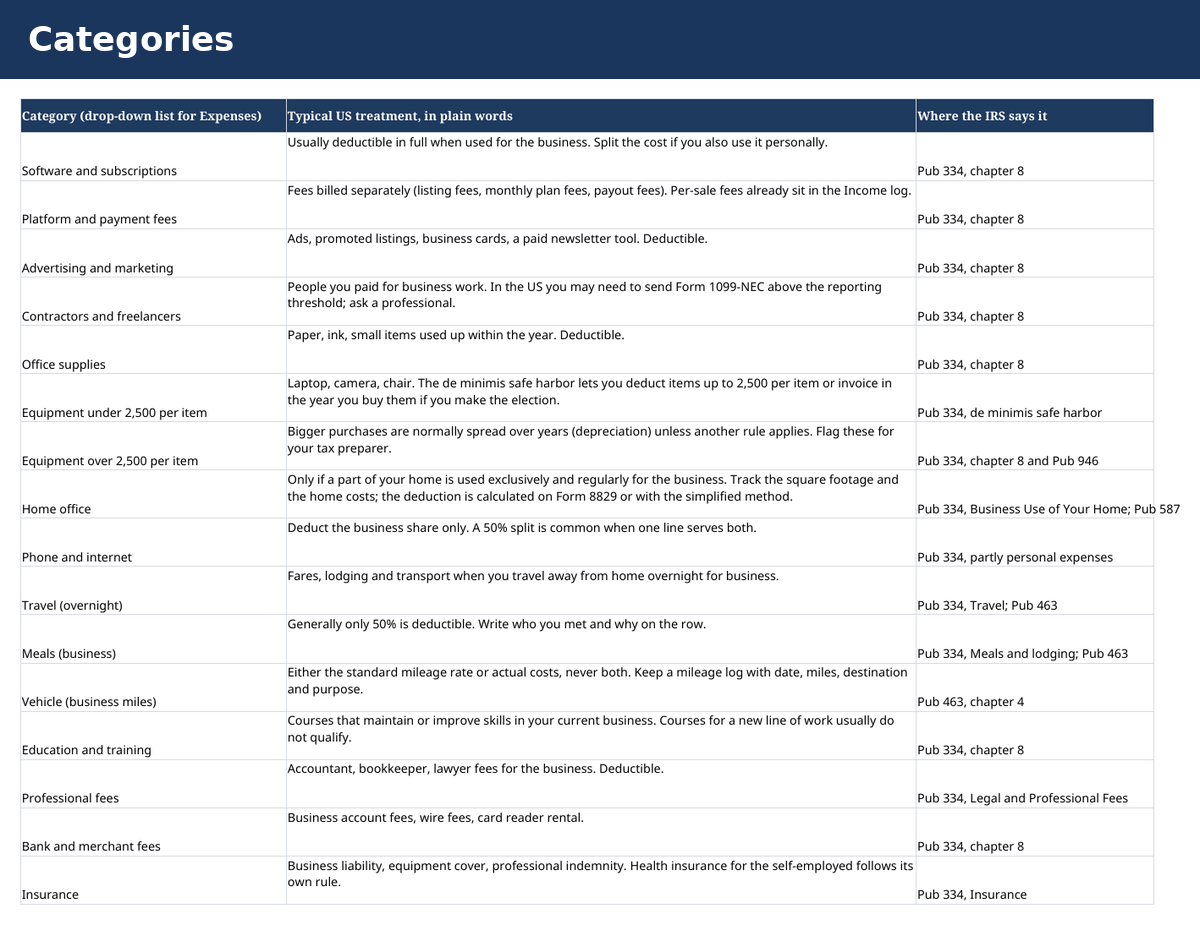
- Solo-Business-Books.xlsx: 9 tabs (Start Here, Dashboard, Income, Expenses, Invoices, Platform Fees, Quarterly Tax, Month-End, Categories); opens in Excel, Google Sheets and LibreOffice
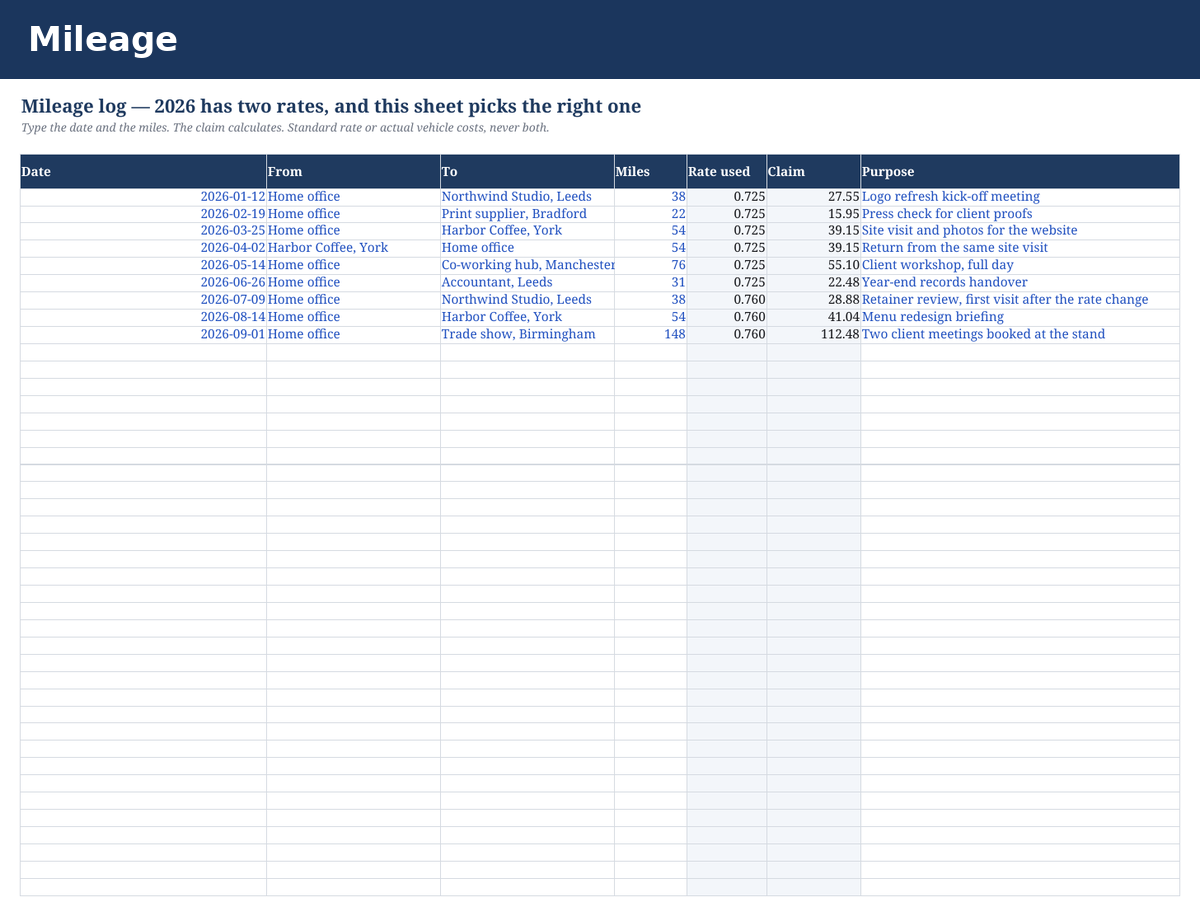
- Mileage tab, added 4 September 2026: type the date and the miles and it applies the right one of the TWO 2026 IRS rates on its own — 72.5 cents to 30 June (IR-2025-128), 76 cents from 1 July (IR-2026-29) — and splits the year for you
- 12 Claude prompts as .md files, each with when I use it, what to paste, the prompt, what comes back and the check
- Solo-Business-Books-Guide.pdf, 17 pages: the system in one picture, setup, the 20-minute routine, deductions in plain words with IRS citations, the 2026 quarterly dates, lessons from our own books, and the accountant hand-off checklist
- Example rows for a one-person design business, dated 2026, that you type over
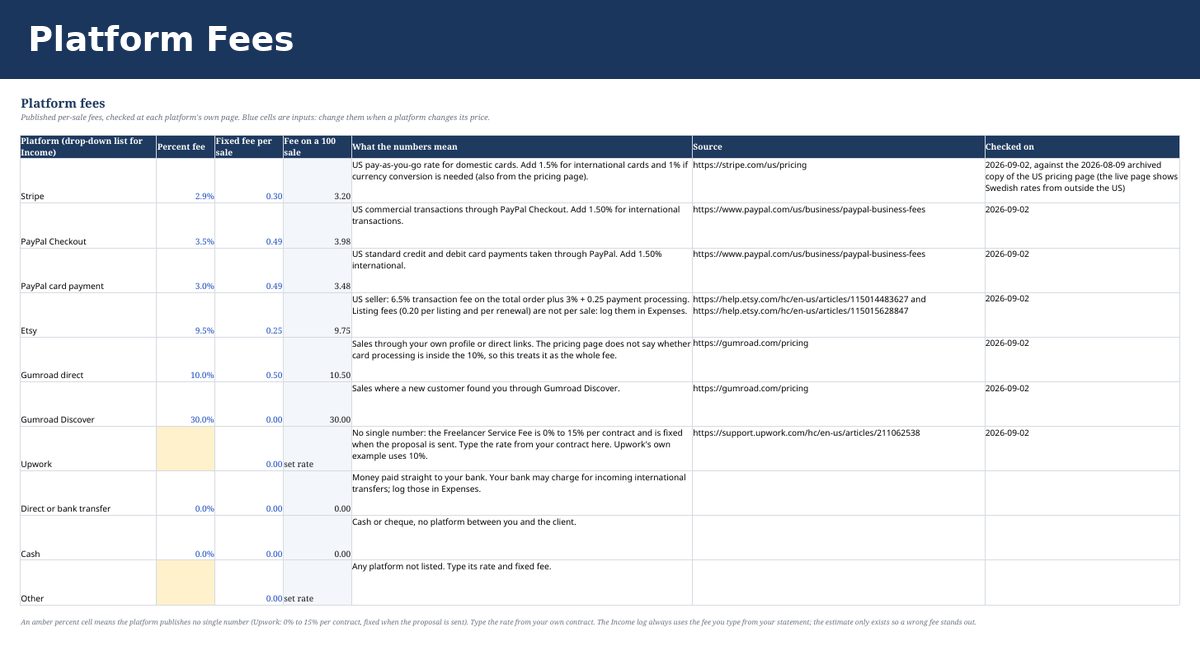
- Platform fee table with the published rates, source links and check dates as input cells
- A Month-End tab of ten steps that the Dashboard reads back as 'x of 10 steps done'
- README with the file list and the one rule about where fees go
Every tab, from the file you download
These are screenshots of the actual workbook, with its own example numbers. Nothing here is a mock-up.
Why this one
- Every platform fee is checked at the platform's own page, with the source link and the check date next to the number: Stripe, PayPal, Etsy, Gumroad, Upwork.
- 2,586 live formulas, recalculated in LibreOffice and checked against a second, independent calculation (182 checks) before it shipped; no currency symbol is hard-coded anywhere.
- The 12 Claude prompts take the boring part (sorting a bank CSV, splitting a payout into gross and fee, finding receipts) and each one ends with a check you do to the cent.
- Built around the fees that actually catch people out, including an Etsy bill of 61.93 SEK charged in a month with zero sales.
- US quarterly dates and IRS quotes for 2026 are inside with their sources; income, expenses, fees and invoices work in any country and any currency.
Questions
Yes. Upload the .xlsx to Google Drive and open it with Google Sheets; the formulas, drop-downs and colours come across. It also opens in Excel 2010 or newer and in LibreOffice Calc.
The income, expenses, fees, invoices and month-end parts are country-neutral and use no currency symbol. Only the Quarterly Tax tab uses US dates and IRS rules, and it says so on the tab; outside the US you use it as a set-aside calendar with your own dates.
No. The workbook works on its own. The prompts save time on sorting and drafting, and they are written for Claude; the free claude.ai plan runs them.
No. It is a record-keeping system. Every tax statement in it quotes the IRS document it comes from, with the link and the date I checked it, and the guide lists the questions to take to a professional.
The rates are input cells on the Platform Fees tab, one row per platform, with the source link beside each. Change the number and every estimate updates.
500 income rows, 500 expense rows and 200 invoices per copy. Most one-person businesses use one copy per year.
Want your books set up for you?
Send me your platforms, your categories, your currency and a recent export. I configure the workbook for your business, load your history, and send it back with a one-page monthly routine within 5 working days. Email only, no calls. $297, one time.
Delivered by email within a minute of payment. File: solo-business-books.zip.
Delivery, and getting your money back
Digital download, no shipping and no shipping cost. The file is emailed to you within a minute of payment. If it is not what you expected, reply to that email within 14 days and you get the money back, no questions.